¶ Overview
Api Keys provide an authentication mechanism without requiring an interactive login. Usage includes consuming OData Feed and API level integrations.
¶ Properties
-
Name (required)
Display name for the key. -
Active
Boolean value indicating if the Api Key is active for use. Api Keys in a false state cannot be used for authentication. -
Readonly
When true the Api Key can only be used for reading data, attempts to create or update existing records or objects will fail. -
Display Name
-
Login
-
UUID
-
Scope
Enumeration of the Authentication Scopes the key will apply when used. -
Description
Freeform text for describing the keys usage or purpose.
¶ Creating an Api Key
Access the Api Key area by selecting the menu option System Management --> Api Key Store. Start creating a new Api Key by clicking the plus icon.
Select the User for whom the Api key will be tied to by typing in the "Search by Login Id or Name" field and selecting a User from the resulting list.
Select desired Expiration timeframe from the dropdown.
Update Scopes as desired.
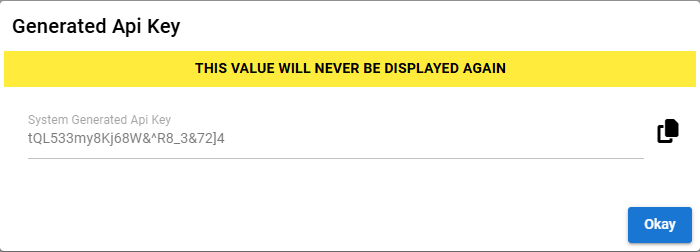
After saving the Api Key you will be presented with a one-time opportunity to capture and save the generated Api Key. There is no means by which this key can be retrieved at a later point in time.