¶ Permissions
Exporting server objects requires the Developer Role.
¶ Exporting Server Objects
Code Migration files are created by exporting objects from a server. Exports can be performed from the following areas under the Development menu section:
- Application
- Application Menus
- Forms & Layouts
- Client Events
- Server Events
- Immediate Scripts
- Script Macros
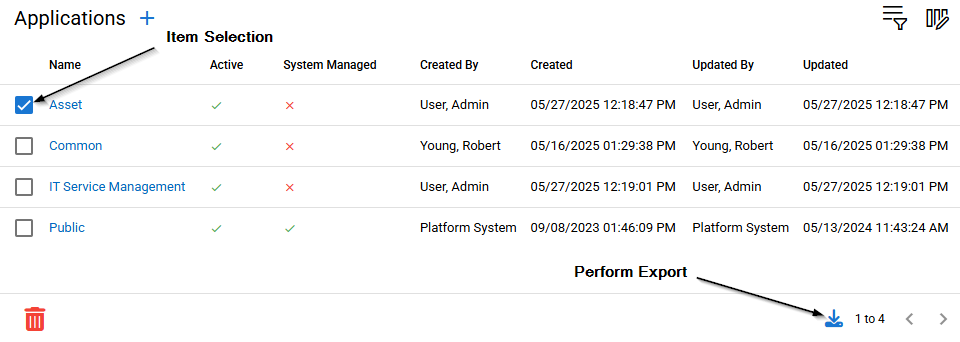
Select the items you with to export from the list by checking the selection box on the left side of the table. Perform the export by clicking the Export icon on the bottom of the table.
If the section you are in contains related items you will be prompted if you wish to export those as well by this dialog.
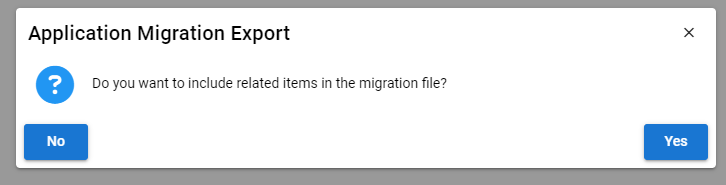
Answering yes will result in related, or child items, items being added to the resulting Migration file.
¶ Export File Content
The downloaded export file is named based on the exporting server and the timestamp of the export. The content of the file is:
- export-server.txt
Contains the full hostname of the exporting server - migration.export
JSON data representing the exported data objects - signature
A file containing a cryptographically secure signature of the export JSON data - signing.key
The Public key used to sign the data. Used during the import process to verify validity of the migration.export content.